
"My Campus Guide" Navigation Application
Team: Kyler Fredericks
Project Description
-
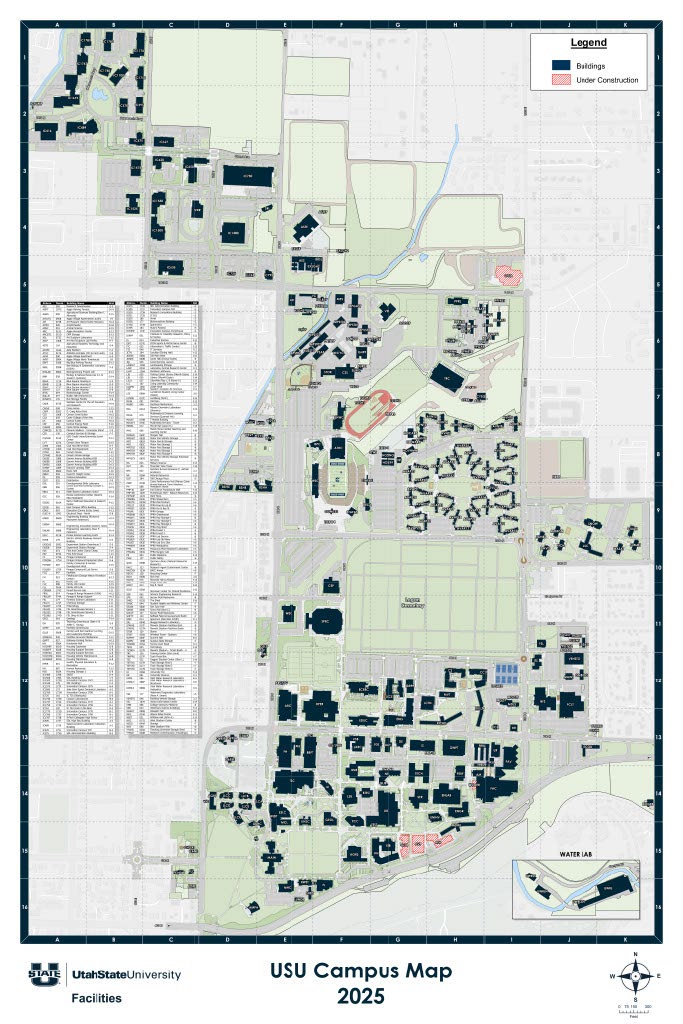
Navigating large university campuses adds unnecessary stress for incoming freshman
- The USU campus map lists over 200 buildings
- Freshman classrooms are often spread out across campus
- My project provides a prototype for a tool to assist students in finding classes, offices, and events on campus
- The “My Campus Guide” navigation system provides step-by-step directions to any campus destination
- User location is averaged from frequent GPS readings to pinpoint a more accurate position than what is normally achieved from phones’ GPS systems
System Overview
-
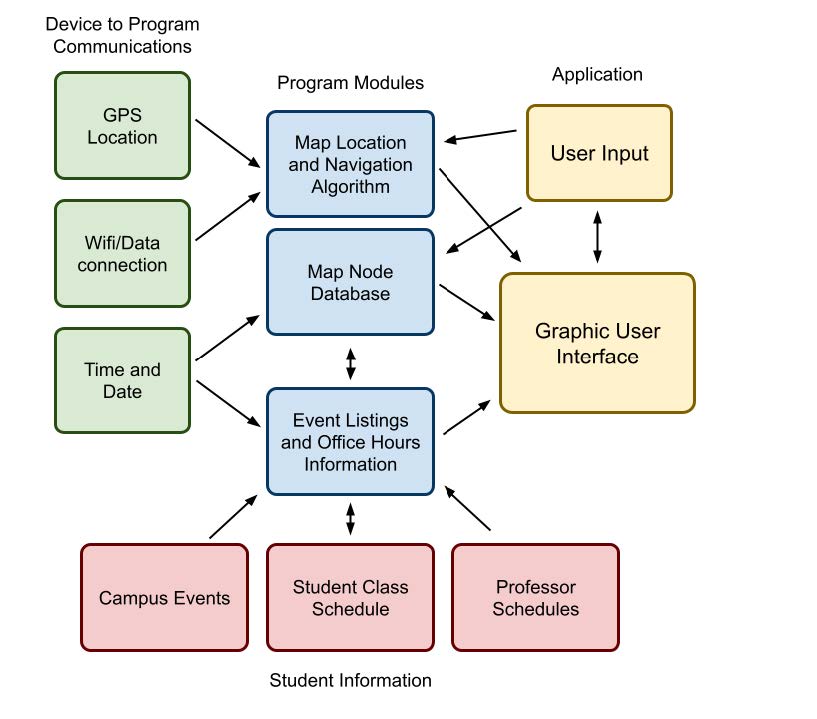
The main interface consists of three screens:
- Navigation screen
- Room search screen
- Student profile screen
- Each screen maintains access to the database of map nodes for easy access to locations on campus
- Connections between each module include submodules to translate between C++, XML, Java, and OpenGL.
Methods & Implementation
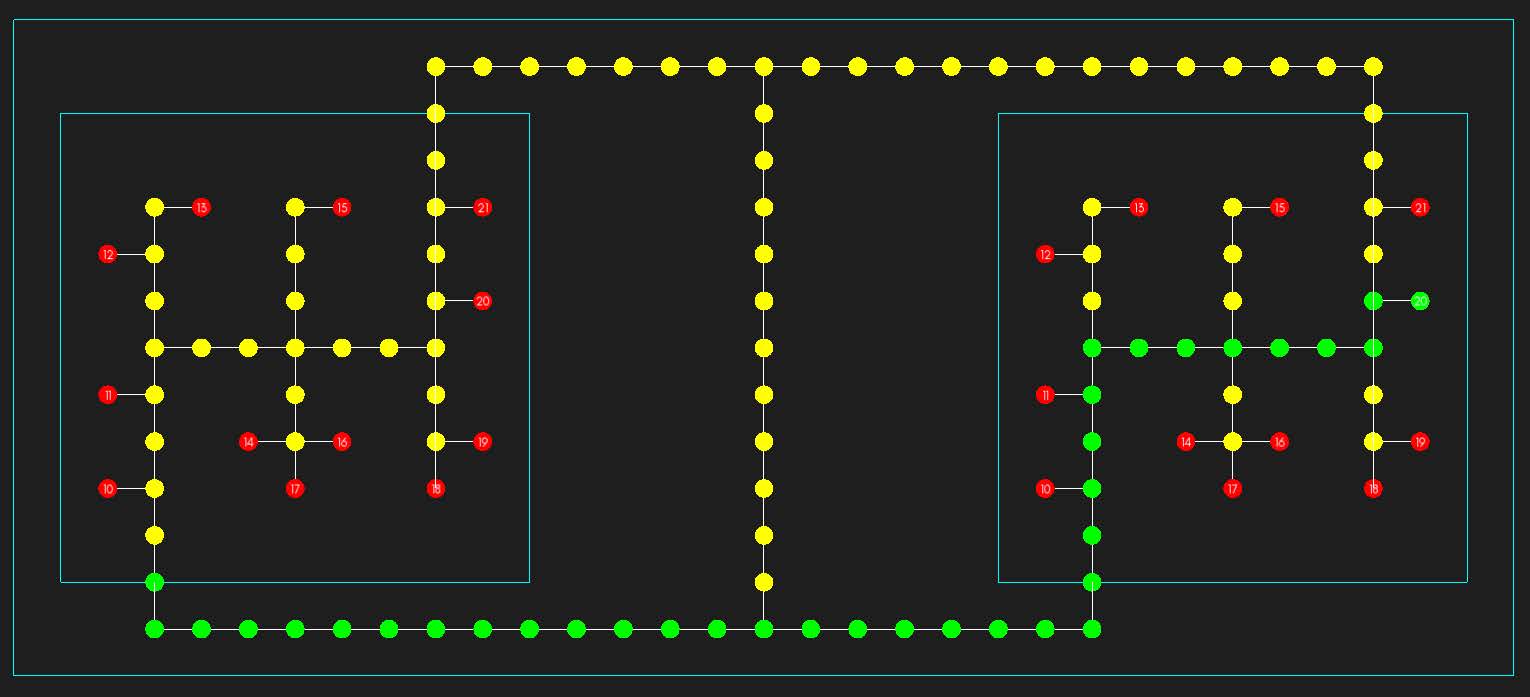
- Buildings are paths are represented by connected nodes, forming an undirected graph
-
I decided to use a version of a bidirectional A* algorithm for the navigation system
- The algorithm splits the path into three parts: from user to current building entrance, from there to destination building entrance, and from there to the destination room
- User location is queried every second (or faster if permitted by the phone’s system), and a weighted average is taken to determine the user’s location
- This weighted average is then tied to a node on the graph, prioritizing nodes on the path and ones adjacent to the user’s last position
Conclusions
- At the moment, most phone systems can only pinpoint their own location with about 3-10 meters, and it moves within that range often. With the current system I made, a 1-meter accurate navigation system is possible, but much slower that application standards of today
Further Development
As this project is a prototype, there are several features that could be added to increase the applications use for students
- In its current state, this application uses manually filled student data due to security purposes. Connecting the application to a student’s academic profile would allow for a more tailored experience
- A base form of this application could be tailored to any campus, integrating their own colors and logos
- More detailed directions can be given to mention landmarks to turn at
- Smoother transitions between positions and camera angles